Product description
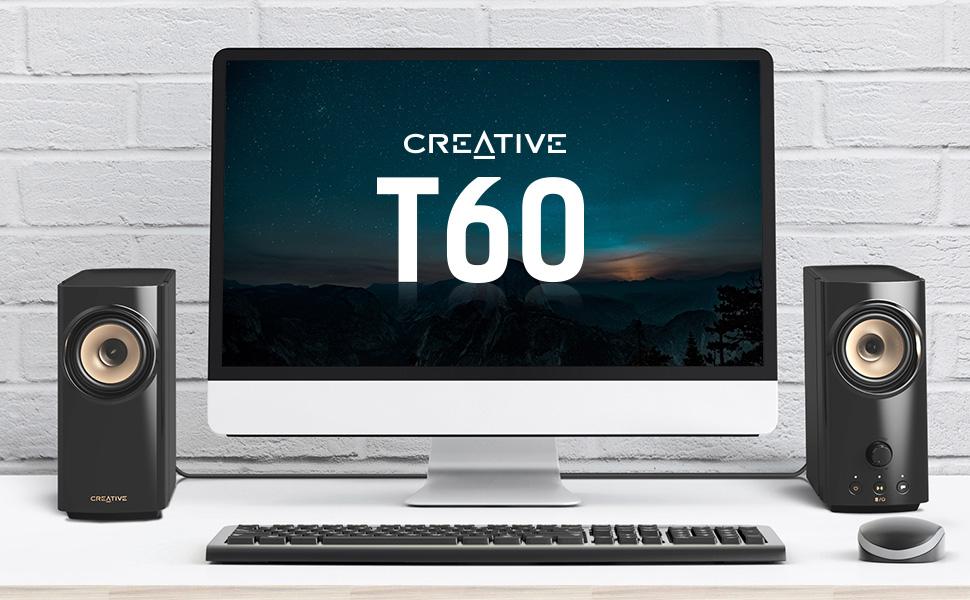
Are you still settling for the default sound that comes with your PC setup? Despite having your volume level at the highest, do you find yourself straining to hear the spoken dialogs of the show’s characters or your co-workers during an online call because it’s too muffled? Joining the Creative T100 in the T-series speaker line-up, the Creative T60 is here to put a stop to that.
The Creative T60 features
Clear Dialog
Surround
powered by Sound Blaster’s audio expertise
Above all, the Creative T60 also comes with a plethora of connectivity options including USB-C audio to your gaming consoles, built-in headset and microphone jacks for when you need to attend an online work call, and a convenient speaker and headphones switch button that is easily within reach.
There’s really no better time than now to upgrade your default PC audio.

Hear what the movie’s characters are saying clearly and stay immersed in your gaming sessions!
Powered by Sound Blaster with over three decades of audio processing legacy and technical expertise, the Creative T60 features Sound Blaster’s audio technologies,
Clear Dialog
Surround
Elevate your desktop movie experience and focus on the show without having to read subtitles; dive into the thick of action and stay engaged in your gaming session.

It’s not about the volume level. Sure, it's great when your movie or game comes with rich and immersive audio, but it's a total downer if the dialog gets drowned out amongst the explosive sound effects and music.
Clear Dialog

Complete your experience with our
Surround

Turn on Clear Dialog and Surround audio technologies directly via the buttons located on the speaker, and start enjoying!
Clear Dialog
Surround

Our SmartComms Kit was developed to fix one common issue for Windows 10 users—to simplify the way we communicate online—via a suite of smart communication features. Why fuss over mute controls or get distracted by unwanted background noises when you should be focusing on what matters instead? Plus, it can be used on any headphones with microphone, headsets, and external microphones.

Get unmuted as you speak and mute your microphone automatically without lifting a finger. Our VoiceDetect feature controls your mute status by voice detection and frees up your hands—and mind—so you can focus on other important things, like fighting off the enemies’ attack, or your business pitch.

Remove unwanted noisy distractions from both ends of the conversation in real time.
NoiseClean-in
NoiseClean-out

Plug it in, download, and go. The Creative T60 lets you communicate smarter in 3 easy steps:
And voila, you’re done! To make further adjustments or control each feature individually, access the Advanced settings inside the SmartComms Kit module.

High-quality audio streaming with your laptop and even gaming consoles like PS4, PS5, and even Nintendo Switch.

Stream wirelessly from your mobile devices directly to the Creative T60 for effortless music listening.

Plug in your headphones or headsets and enjoy audio or pick up a work call in private.

Connect an external microphone to the Creative T60 and hold your meetings or communicate with your team in-game.

Switch between audio playback from the Creative T60 to your headset instantly with just a button press and skip the hassle of having to plug and unplug your headset all the time.

On the right speaker, you’ll find a volume knob to make volume adjustments, the Clear Dialog and Surround buttons to activate the audio technologies with a button press, and the power button to turn on the speaker or switch between the audio sources.
From the brand

We've always believed in the power of sound. In 1989, we changed how people experienced audio with sound blaster. For the first time, computers had a voice.
Today, we carry that legacy forward. Our headphones, speakers, and sound cards are designed for how people live, work, and create. Whether it's a quiet moment alone or a shared experience that matters, we build audio that inspires.
Audio that becomes part of your story.


![GolbinBox for iPhone 17 Case with 360° Spin Magnetic Stand, [Compatible with MagSafe][Full Camera Protection],Full Body Shockproof Liquid Silicone Phone Case with Ring Stand for iPhone 17 6.3'', Brown](https://m.media-amazon.com/images/I/81Us-zZWDSL._AC_SX1500_.jpg)